
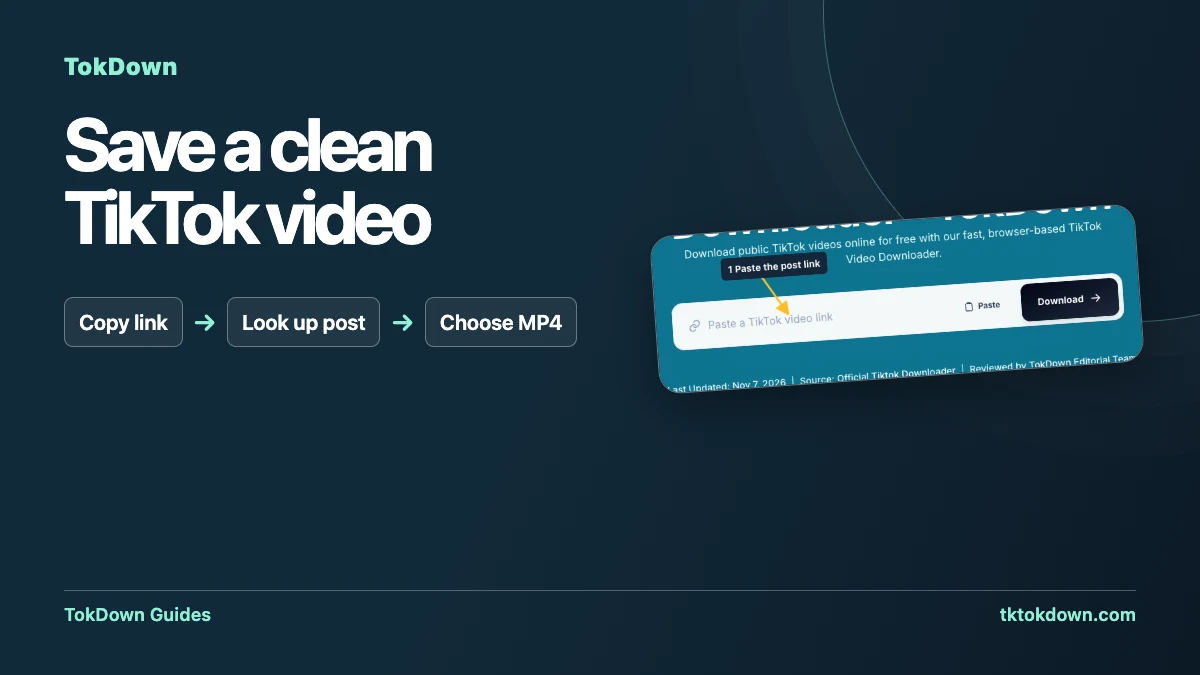
The TikTok app only offers a save button that stamps a moving logo and the creator name on the video. If you want a clean copy, for editing, archiving your own posts or just watching offline, you need a different route. This guide shows the quickest one, and is honest about when it will not work.
Before you start: what you need
A link to a public TikTok video. Private videos, deleted videos and videos blocked in your region cannot be downloaded by any web tool, because the file is simply not available to a visitor who is not logged in.
A modern browser on any device. There is nothing to install and you do not need a TikTok account or a TokDown account.
Step 1: Copy the TikTok link
Open the video in the TikTok app, tap the Share arrow and choose Copy link. On a computer, copy the address from the browser bar. Both the long link (tiktok.com/@name/video/...) and the short links that start with vm.tiktok.com or vt.tiktok.com work.
Step 2: Paste it into TokDown
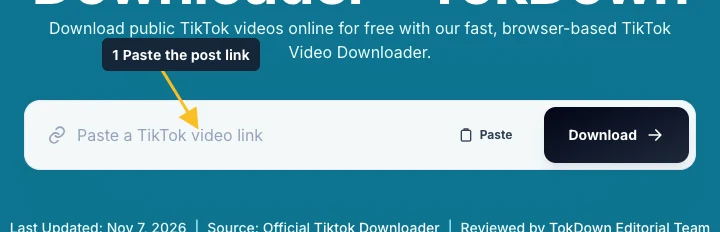
Open the TokDown home page, paste the link into the box and press Download. TokDown checks that the link really belongs to tiktok.com, then asks TikTok which versions of the video are available.
Step 3: Choose the file you want
You will see the formats the source post offers. Pick the HD MP4 for the best picture, the standard MP4 for a smaller file, or the audio-only M4A if you only want the sound. Your browser then downloads the file straight to its normal Downloads location.
Why is there sometimes no watermark-free option?
A clean version only exists if TikTok still serves the original, unmarked file for that post. When it does not, we cannot invent one. In that case you will still get the best version that is available, and the watermark may be present. This depends entirely on the post, not on the device you use.
Tips for the best result
Use the link from the Share menu rather than a link copied from a screenshot or a message that cut it short.
If a download fails, wait a few seconds and press Download again. Busy moments are handled with a short queue.
Respect the creator. Download your own videos or content you have permission to use, and do not re-upload someone else's work as your own.
Check the source before you paste it
A useful test is to open the copied link in a browser where you are signed out of TikTok. You should land on one playable video with the expected creator and thumbnail. A profile, search page, sound page, photo carousel, or editing draft is a different kind of link. If the browser asks you to sign in before you can view the post, access through your TikTok account does not imply that TokDown can retrieve the file.
When you copy from a group chat, use the message action that copies the link itself. Selecting the surrounding text can include punctuation, an emoji, or the beginning of a second URL. Check the first and last characters in the box before clicking Download. If you are working with your own post, keep a note of its creator handle and title so you can confirm the preview. That matters when several videos reuse the same caption or audio.
Read the result before you choose a file
The available choices are determined after TokDown looks up the post. Start by checking that the preview belongs to the clip you intended to save. If the app shows a quality choice, use the larger version when you plan to edit the clip or move it onto a bigger screen. A standard version can be more convenient when storage or bandwidth matters. Download a single version first and see whether it meets your needs before saving duplicates.
A moving logo added by the platform is different from graphics already present in the creator’s edit. A clean source may still contain subtitles, channel branding, stickers, or a logo that was part of the exported video. TokDown offers available source files and does not reconstruct the frames. If this is your own video and you need a clean master for editing, look for the original export on your device or in your editing project as well.

Confirm what the browser actually saved
After selecting a file, open the browser’s download list. Wait for the browser to finish before opening the clip. A partial file can appear there before it can be played. Open the MP4 in your normal player and check the first few seconds, then jump toward the end. For a clip you plan to edit, check that picture and sound stay together and that the video has the expected orientation. Vertical footage should still be vertical when you play it outside TikTok.
Give the saved file a memorable name while you still have the source post open. For a personal archive, a short topic and date are enough. Keep the source link alongside the file if you need to find the caption or credit the creator later. A file downloaded to a browser’s default folder may not immediately appear in a photo library; use the browser’s reveal action to find it before downloading the video again.
Decide when another attempt is worthwhile
If the form rejects a link immediately, adjust the link before trying again. Copy it fresh from the individual post and remove any commentary carried over from a chat. If the form accepts the link but the lookup fails, check the source first. An inaccessible post, a Stories link, or a photo carousel will not become a supported video by submitting it several times. When the source is a playable public video and the error appears temporary, try once after a short wait.
If the result looked right but the file failed to save, the next check is the browser rather than the URL field. Look for a paused transfer or a storage prompt. A result left open for a while can point to an expired file address, so run a fresh lookup if you return to an old tab. Keep the stages separate: validating the link, loading the result, and saving the file each produce a different thing to check.
Quick answers
Is it free?
Yes. TokDown is free, with no account and no daily download limit.
Does the quality drop?
No re-encoding is done by us. You receive the file TikTok serves for that post, so the quality is whatever the creator uploaded and TikTok exposes.
Can I download a private video?
No. Only public videos can be fetched.