
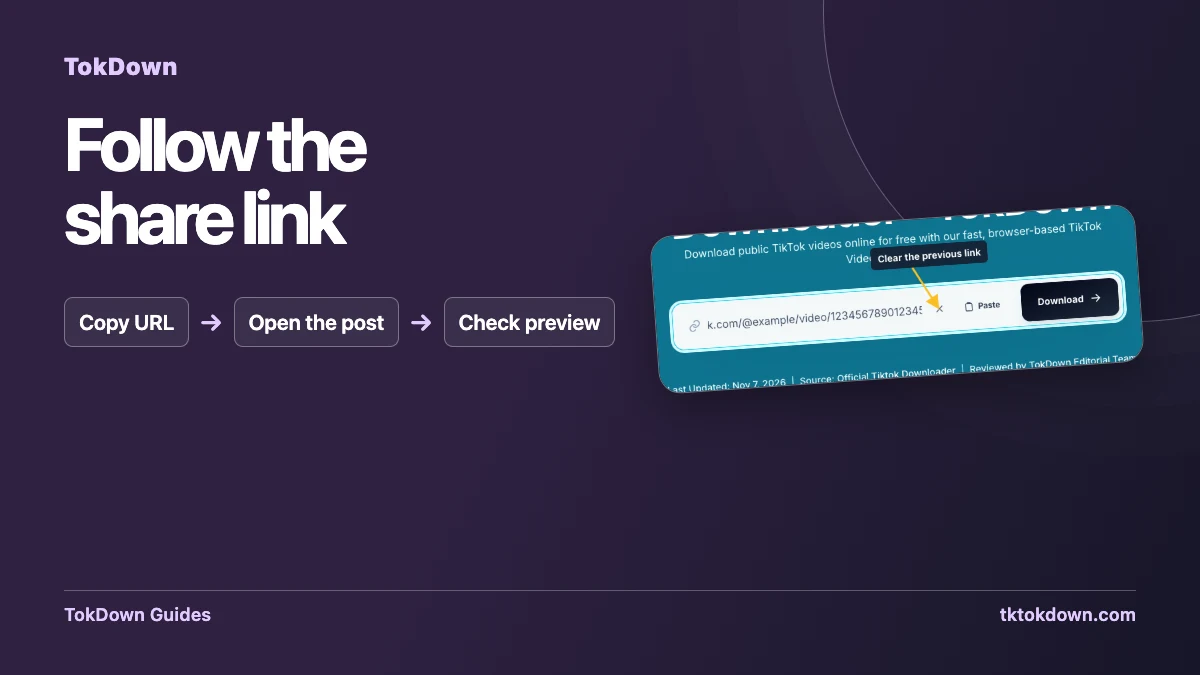
Start with a link to one playable public TikTok video. This guide shows how to identify the post, check the copied address and replace an old link in TokDown before submitting.
Copy from the video you intend to save
Open the individual TikTok post and check the creator and the first few seconds of playback. Then use Share and Copy link. On a desktop browser, use the address bar once you are on the post itself. A feed or a profile can show several clips without giving the URL of the one you are looking at. Opening the post directly narrows the link to a single item and makes it easier to compare the TokDown preview later.
If the address came from a message, copy the link itself using the message app’s link menu when possible. Drag-selecting a line of text can include the period at the end, a tracking message or an emoji. If the sender included multiple links, open the one you want before copying. Keep the address in a plain text note if you are moving it from a phone to a desktop and want to check what was pasted on the other device.
Tell a short share link from the destination post
TikTok can give you a shortened URL through its Share menu. Short links can work when they lead to a supported public video. Open the link in a regular browser to confirm where it takes you. Look at the creator shown on the page and whether there is one playable clip. If it opens a profile, the TikTok home page or a sign-in prompt, ask for a fresh link to the specific video or copy its full address yourself.
The full address for a regular video normally includes a creator handle and a video identifier. Those details can help you tell two nearby posts apart. When copying a full address, prefer the link as supplied by TikTok rather than typing an identifier from a screenshot. If you are checking a post from your own account, try it while signed out to see how a visitor reaches it. Your normal account view may open content that a public tool cannot access.
Replace the old link in TokDown
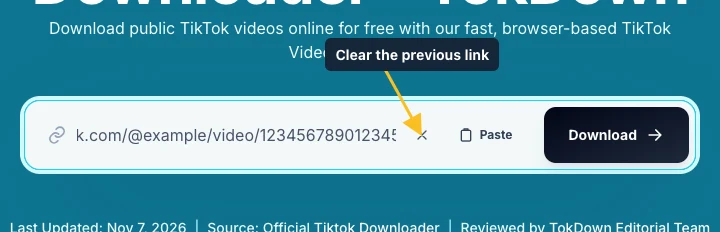
Open the tool and inspect the URL field before submitting. When a previous address is still there, use the clear control shown in the screenshot. Then choose Paste or use the browser’s normal paste action. The field should show a single URL starting at the beginning of the line. On narrow screens you may only see part of it. If the pasted text looks suspicious, select it and copy it back to a plain text note so you can see the full address.
Press Download after confirming the link. If the form reports a link error, compare the exact text in the field with the address that opened in your browser. If the site proceeds and the resulting preview is a different clip, return to TikTok and copy again from the correct post. Do this before clicking a format option. A fresh lookup for the right post is faster than trying to identify and delete a wrong file later.
Keep source links paired with their files
If you are archiving videos you own, save one video at a time. Open the first file from the browser’s download list, give it a meaningful name, and record its source URL alongside it. Then clear the form and process the next post. That small routine helps when videos share a caption, music or posting date. It also gives you a reliable way to return to the published version after you have moved the downloaded copy to another folder.
When someone else supplies the video, ask for a fresh link if the original is hard to verify. If it cannot be opened publicly, request a file from someone who has permission to provide it. Keep the original address and the permission context with any archived copy. When reporting a form issue, share the public post link and the visible error, and leave out messages or account information unrelated to the problem.
Quick answers
Can I paste a shortened TikTok URL?
Yes, if it resolves to a supported public TikTok video. Open it first if you are unsure where it goes.
Where is the clear button?
Look beside a populated URL field for the X. Use it to remove the previous link before pasting again.